
How It Works
Everything you need to know about AvaStudy
Getting Started
 Getting Started
How does this work?↓
Upload photos, PDFs, or paste text from your notes. AvaStudy reads your material and automatically creates flashcards, quizzes, and other study games — including questions taken directly from your teacher's review sections. The more you play, the smarter your Study Buddy gets!
For larger study guides, AvaStudy builds a question pool and rotates through it across sessions so you eventually see all of the important material — not just the same few questions each time.
What kind of study guides work best?↓

AvaStudy works best with material built around facts, definitions, and concepts — the kind of content where there's a clear right answer. Great examples include:
- ✓History — dates, events, people, causes and effects
- ✓Science vocabulary — biology terms, chemistry definitions, anatomy
- ✓English & literature — themes, characters, vocabulary, grammar rules
- ✓Social studies & geography — capitals, systems, key figures
- ✓Standardized test prep — SAT, ACT, state exams
- ✓Medical & nursing — terminology, procedures, pharmacology basics
- ✓Law & civics — definitions, amendments, case names
Subjects that rely more on performing a skill than recalling a fact are harder to quiz on — things like solving multi-step math problems, lab procedures, music reading, or writing code. AvaStudy can still help you memorize formulas, vocabulary, and rules from those subjects, but it won't replace actually practicing the skill itself.
What file types can I upload?↓

You can upload in three ways:
- ✦Photos (JPG, PNG) — Great for printed notes, textbook pages, and handouts. Works best when text is clear and large enough to read.
- ✦PDFs — Best accuracy — ideal for digital notes, study guides, and saved textbook pages.
- ✦Paste text — Copy text from any digital source and paste it directly. Fastest and most reliable.
Word (.docx) and PowerPoint (.pptx) files are not directly supported — save them as PDF first, or copy the text and paste it. Handwritten notes work but may have lower accuracy than typed text.
AvaStudy reads the text in what you upload, and when a photo has a diagram, map, or labeled picture that a question depends on, some games can show that part of your photo next to the question. A question that only makes sense while looking at a picture we couldn't use (like “What is this?” beside an image) is left out. Uploaded photos are checked automatically for adult, violent, or racy content before they are used; a photo that can't be cleared is left out of the guide, and the guide tells you which one.
What is the difference between a due date and a test date?↓
A due date is homework. The guide shows as due, can be turned in late or go overdue, and it is what your teacher's reminders and gradebook follow.
A test date is the day of a real test. It is not homework and is never late. AvaStudy counts down to it, shows how ready you are by then, and turns on Cram Mode in the last 48 hours.
A teacher can set either one, or both, on a guide in their class. When your teacher sets a test date, it replaces your own for that guide and says Set by your teacher.
Where do I see my classes?↓
Students: open My Classes from the tab bar at the bottom. Each class shows its guides, what is due, and a short Updates list of what changed, like a guide your teacher assigned, a due date, or a test grade. Guides your teacher archived sit behind Show Archived, as do classes your teacher archived, and + Join A Class is on the same page. On the Guides page, your guides are grouped by class, with My Own for the ones you made yourself.
Messages for you (a note from your teacher, an announcement, a reminder, how a test went) show at the top of that card in a For You section, newest first, and clear themselves after about a week.
Parents: open Classes from the same tab bar. You see each linked child's classes, and opening one shows that child's work in it. A child joins a class from their own account.
You only ever see your own results in a class, and a parent sees only their own child's.
What happens when a teacher archives a class?↓
Archiving pauses the class. Its assignments stop: they drop off students' homework lists, and there are no due dates, reminders, or overdue marks. The class code stops working, so no one new can join. Nothing is lost: scores, test grades, progress, and class updates stay as history.
Students see the class under Show Archived in My Classes, marked Archived. Parents still see their child's archived classes under Archived on the Classes page. Teachers can restore the class any time, and reminders and rewards resume once it is active again.
Deleting a class is different: it is permanent, the class must be archived first, and it also deletes the class's attendance, messages, and practice tests along with the roster. Students keep the coins and scores they earned.
Does the order of my pages matter?↓
Yes, a little. Pages are read in the order you add them, so numbered questions and answers that run across pages stay together.
If a photo ended up out of order, use Move Up and Move Down on the page before you upload. If a mix of photos and PDFs is added, the photos are read first and the PDFs after. Very long uploads can be cut short at the end, so the pages you add last are the ones at risk. We tell you on the guide if that happens.
What if I don't have notes?↓

You can type a topic instead. On Home, choose No notes? Type a topicand write what you are studying, like Causes of the American Revolution or Parts of a Cell. The more specific the topic, the better the guide.
AvaStudy builds the same flashcards, quizzes, and games from it, written to suit your grade. A guide made from a topic is written by AI rather than from your own notes, so it can contain mistakes: check important facts against your class materials. When you do have notes, a photo, PDF, or pasted text gives a guide that matches what your class actually covers.
It counts toward your free guides the same as any other guide.
Can I try it before signing up?↓

Yes. Play a sample guide with no account and no email — a worksheet is on screen along with the games AvaStudy built from it, and you can play them straight away.
It is the same thing that happens with your own notes, just already done. Signing in is only needed once you want to upload something of your own and keep your progress.
What happens when I sign up?↓

A few quick screens: whether you're a student, parent, or teacher(a student gives a birth month and year; a parent or teacher confirms they are 18 or older), your first name, and your grade. Younger students also name their Study Buddy \u2014 high school, college, and adult learners skip that step. Your name is optional: you can skip it and add it later.
Then you're on your home screen, where a 60-second demo shows exactly what AvaStudy builds from a single page of notes, so you can see it before uploading anything of your own. Nothing is required beyond signing in: no payment, no long form.
Why does AvaStudy ask for a birth month and year?↓

So the right protections apply to each account. A student gives a birth month and year when they sign up, and that tells us whether the account is for a child 12 and under, a teen (13 to 17) or an adult.
We keep the month and year only, never the exact day, on our servers. It is never shown in the app to the student, a parent, a teacher or a classmate, and it is deleted if the account is deleted. Parents and teachers confirm they are 18 or older with a tick, and we keep no birth date for them.
A student who says they are 12 or under is asked to have a parent or guardian set up the account, and we do not keep that answer.
My child is 12 or under. How do they use AvaStudy?↓

Students 12 and under can't make their own account. A parent or guardian creates it from their own AvaStudy account: sign up as a Parent, then tap Add Your Child on Home. The parent confirms they are the child's parent or guardian, and the child signs in on their own device with a code or QR code the parent gives them. A child's account has no email address.
For a child we collect a first name, a grade, a birth month and year (kept private) and what they study, never for ads and never sold. The parent can follow their progress, read their Study Tutor conversations and Teach Me lessons (the child is told), and delete the account at any time. The Privacy Policy has the full details.
Teens 13 and older can sign up on their own, and a parent can link to their account with a code the teen shares.
Does it work with study material that isn’t in English?↓
Yes. AvaStudy builds the guide in the language of your material rather than turning it into English — Spanish notes make a Spanish guide, and the questions, flashcards and answers all come out in that language. We have seen good guides come out of Spanish, Arabic and Korean material.
Material written right to left — Arabic, Hebrew, Farsi, Urdu — is laid out right to left in the guide and the games, so it reads the way it was written.
What stays English is the app around the guide: every screen, button, hint and piece of feedback. So a reader who needs the whole app in their language will still be reading English everywhere except their own material. If you are uploading in a language we have not seen much of, a short section first is the quickest way to see how it comes out — and please tell us how it went.
Will I see all the questions from my study guide?↓
AvaStudy tries to preserve every question from your teacher's review sections. For large guides, those questions are saved into a pool and rotated across sessions — each game session shows a fresh set of questions from that pool so you cover more material over time.
Text and PDF uploads tend to be the most accurate. Photos work well too, though very small text or handwriting can reduce how many questions are captured.
For very large question banks (50+ questions), AvaStudy may not capture every single question in one pass — this is a known limitation. Re-uploading with the guide split into smaller files can help in those cases.
Can I replay games?↓

Yes! You can play any game as many times as you want. Your first play of the day earns full coins and XP. After that it becomes a Replay — no coins, but your Study Buddy still gains full XP. Some daily missions specifically reward you for replaying a game. In a class, a replay still counts toward your best score on the assignment — it just doesn't pay coins.
What is a Replay?↓

Each game earns coins once per day. After your first play of a game, the button changes from Play → to Replay → — you can still play as many times as you want, just without earning more coins for that game until tomorrow.
Replays still earn your Study Buddy full XP, and they complete the daily missions that specifically ask for a replay. They don't add to coins, badges, or your lifetime correct-answer total — those come from a game's first play of the day.
A replay is about rewards, not scores: on a class or shared guide, your score on every play still counts. The class leaderboard and your teacher's gradebook show your best result, so replaying to improve is always worth it.
What happens after I finish a game?↓

The results screen shows your score, coins earned, and any badges you unlocked. It can also show up to four highlight cards:
- Level Up — shown when your Study Buddy reached a new Level this session.
- Social nudge — shown when you're in a shared study guide and you passed a classmate, are close behind them, or are holding the lead.
- Tricky items — shown when you missed questions that are now flagged for review.
- Take a Break — after a long stretch of studying, a short nudge to rest. It shows at most once a day, with no coins or rewards attached.




What happens if my study guide doesn't work?↓

Sometimes a guide can't be built — a photo comes out too blurry to read, a PDF turns out to be a picture with no text in it, or something on our end falls over.
It never costs you a free study guide.
Your count only goes up for a guide that actually got built. A guide that failed, one that got stuck, one you canceled, and one where we could barely read anything all leave your count exactly where it was.
When it happens we tell you what went wrong rather than just apologising — whether the upload was hard to read, too short to build games from, or our end was busy — and we email you the same explanation, so you find out even if you closed the page.
If a guide sits on the loading screen for more than about ten minutes, we stop it ourselves and mark it as failed rather than leaving you waiting. Uploading again is usually all it takes; if the same material keeps failing, pasting the text in directly always works.
How do I keep up with new features?↓
The What's New page lists the bigger updates — new ways to study, classroom tools for teachers, and changes to how study guides are built and checked.
Smaller fixes and tweaks ship most weeks and aren't all written up there.
How accurate are the generated questions?↓
Generally very accurate for fact-based content — definitions, dates, key people, cause and effect. AvaStudy reads your uploaded material and builds questions directly from what's there.
A few things can affect quality:
- ·Blurry or low-contrast photos may cause misreads
- ·Ambiguous phrasing in notes can produce awkward questions
- ·Very sparse material (a few bullet points) generates fewer questions
Open any guide and tap Edit to reword a question, fix a definition, or delete a card — so anything that doesn't look right is a couple of taps to correct. If quality is consistently low, try re-uploading with a clearer photo or pasted text.
When a guide is built, its cards and questions are checked against your uploaded notes. Anything the check can't find in them is marked Not found in your source in the editor, next to a view of your original material, so you can compare it, fix it, or tap Looks right — keep it. Practice tests leave those items out, and class tests leave out those quiz questions, until you have. Some practice questions, like follow-up versions of a question, are made later from the guide's own cards and aren't checked again.
Like any AI, it can make mistakes, so check important facts against your notes. Every guide says so and shows how its content was checked, a Guide Coverage view lists anything the AI skipped, and you're told if a very long upload was cut short. If a question looks wrong, tap Report inside a game — you'll see in the app whether it was fixed, removed, or looked at and kept as is.
Why didn't my study guide generate many questions?↓
A few common reasons:
- ✦Blurry or dark photos — Text that's hard to read produces fewer (or no) extractions. Retake in good lighting.
- ✦Sparse notes — A page with 5 bullet points will generate 5 questions at most. More content = more questions.
- ✦Math-heavy or diagram-heavy material — Equations, graphs, and charts are hard to convert to text-based quiz questions.
- ✦Very short uploads — Single-page uploads with minimal text naturally yield smaller sets.
For best results: upload a full chapter or set of review notes rather than a few isolated lines. Pasting text directly almost always produces the most questions.
Can I upload photos from my phone?↓
Yes — you can take a photo right from your phone and upload it directly. When you tap Upload, you'll be able to choose an existing photo from your camera roll or take a new one on the spot.
Works best for printed notes, textbook pages, and teacher handouts. Make sure the text is well-lit, in focus, and fills the frame. Avoid shadows across the page.
What is the Study Tutor?↓

The Study Tutor coaches instead of just telling you. Open it from any guide and ask about a concept: it starts with a hint or a guiding question so you work out the answer yourself. If you're still stuck, or you ask it to just tell you, it will. A quick word definition it simply answers.
It stays on the guide you're studying, and it is an AI, so it can make mistakes: check anything that looks off against your notes. Free accounts get 5 Study Tutor messages a day; AvaStudy Unlimited has no daily limit. A linked parent can read the conversation, and the Study Tutor tells you so.
What is Teach Me?↓

Teach Me starts from the beginning. Open it from a guide, pick a concept, and it explains the idea, gives an example, then asks a check question you answer in your own words or by choosing. If you miss, it teaches the idea a different way. After two tries that do not work, it offers a simpler version, Ava Analogy, the Study Tutor or the flashcards.
A lesson is not graded work: it never changes your mastery, coins or badges directly. A lesson counts as a study session, so your first one of the day keeps your streak going. Passing one can set up a quick retest of that concept a day later. A lesson counts toward your study time, your study sessions and your active days. It is an AI, so check anything that looks off against your notes. A linked parent can read the lesson, and Teach Me tells you so.
What is Ava Analogy?↓

Ava Analogy explains a term by comparing it to something you already know, in words that fit your grade. On a guide, tap Ava Analogy in the Study Plan, then tap one of the guide's terms. Tap the Ava Analogy icon beside a concept to start on that one. You get a short comparison and a line on where it stops working, so it does not mislead you on a test.
It is on guides built after it launched. An analogy is written by AI and shared with anyone who asks for the same term at the same grade level; it contains no names. Free accounts get five analogies on each guide; AvaStudy Unlimited and Family plans have no limit. Tap Did that help? so we can improve it, or Report if one looks wrong, and check anything important against your notes. Asking for an analogy, like a sitting with the Study Tutor, counts toward your study time, your study sessions and your active days.
What are a Mini Practice Quiz and a Practice Test?↓

Both are one-pass checks across a guide, with no hints and no retries partway through. The Mini Practice Quiz is a short run of up to 8 questions with no timer, and it's free on every guide. The Practice Test is the full version: up to 25 questions that cover every concept, timed, and it ends with a breakdown of what to work on and a study plan. The Practice Test is part of AvaStudy Unlimited, and a guide needs at least 6 concepts to offer it; a smaller guide gets the Mini Practice Quiz.
Your answers feed your Test Readiness score and your mastery, like answers in a game. Tap Report on a question that looks wrong and it won't be scored.
What does Test Readiness mean?↓
Test Readiness is how well you know the concepts in a guide, from the games and checks you've played. Every concept you're making progress on counts, not only the ones you've fully mastered, so the percentage is usually higher than your Mastered count. Each concept is Mastered, Getting There, Needs Work or Not Started, and AvaStudy Unlimited shows the full breakdown. Add a test date and the guide counts down to it.
Guide Coverage is separate: it's about the guide, how much of your notes made it in, and it never lowers your score. One rough session won't take Mastered away; if a concept slips back to Getting There, get it right in a later session to earn it back.
What are the Study Plan, Smart Study and Cram Mode?↓
On a guide, the Study Plan lists the concepts that aren't solid yet, weakest first, and Smart Study builds a focused session from whichever ones need the most work right now. In the last 48 hours before a test date, the plan turns red and becomes Cram Mode, and the goal card on Home offers Study Now.
If every concept is already solid, Cram Mode offers a Final Review instead: up to 10 questions on your Mastered concepts, the ones you haven't seen the longest first. Right answers count toward your mastery, and a miss never takes anything away from it.
The Study Plan and Cram Mode are part of AvaStudy Unlimited. They follow the test date on your own account (or one your teacher set for you), and they stop once you log a grade for that test.
What is a Memory Check?↓

When you miss a concept, it comes back about a day later as a quick memory check: a question on the same idea, worded differently when the guide has another version. Getting it right shows it stuck. You'll see it offered on Home and in Smart Study, and in Practice What You Missed.
It isn't a new status or a separate score: it's an ordinary question, so a right answer counts like any right answer and a miss counts like any miss. A Teach Me lesson you pass can also set up a memory check for a concept you've already practiced.
Games
Can I get more time on the timed games?↓

Yes. Turn on More Time in Settings and the Swipe Challenge, Speed Tap and the Practice Test give you twice as long. The coins per answer and the size of each round stay the same.
It does not change live class games or practice tests your teacher assigns, because those run on a clock shared by the whole class.
What study games can I play?↓



What are the Advanced Study Games?↓
A second set of study games that sit below the core games on each guide — built for deeper recall, deduction, and strategy rather than quick review. They include Concept Connect, The Crossword, Concept Ladder, The Grid, Brain Feud, Hot Streak, The Big Question, Tic-Tac-Know, The Circuit, Brain Drop, Word Battle, Label Lab, and the season-long Study League.
They're free for everyone. Some need a guide with enough interlocking terms or questions to build a good board — if one isn't ready yet, add a little more material to the guide. Newer ones carry a BETA label while the AI-built boards are still being refined; tap Report inside a game if a clue or puzzle looks wrong.
What is the Pulse?↓

Pulse (beta) is a live look at how the whole community is studying this week: how many learners are playing, which games are rising, what subjects people are working on, how many concepts have been mastered, how many learners are on a streak or have a test coming up, how far everyone has climbed the Season Path, and a shared goal we're all building toward together, with an estimate of the odds we reach it by Monday. You can open the Pulse from the menu, and after a game it shows how many questions you added.
It is all totals. Nobody's name, study guide, or score is shown, and where you stand compared with everyone is visible only to you.
Teachers also get a Pulse at the top of each class page: who studied this week, when the class tends to practice, which concepts the class mastered, who has gone quiet, and students worth cheering on. Students in the class see just how many classmates studied and the shared class goal.
What do the labels on games mean? (BETA, HARD, NEW, HOT)↓
BETA — a newer Advanced game. These are modes with AI-built boards we're still refining. A game drops the label once it has proven itself. If a question or puzzle looks wrong, tap Report inside the game.
HARD — Fill in the Blank. There are no answer choices; you type the term from memory, so it's the toughest recall practice.
NEW — recently added or reworked.
HOT — among the most played, and people finish it.
Most games wear no label at all. A label only points out what's special about a game.
The labels are only guidance — they never change how coins, XP, or mastery are earned.
Which game is best for memorization vs. test prep?↓
Different games train different skills — mixing them gives the best results:
A good study session: start with Flashcards to review, then Quiz or Fill in the Blank to test yourself, then Practice What You Missed to close the gaps.
How does Boss Battle work?↓
You face a boss with a health bar. Each correct answer deals damage to the boss. Each wrong answer costs you one of your 3 health hearts. Lose all your hearts and it's game over — even if the boss is nearly defeated.
Drain the boss's health bar to win. Your score is based on how much damage you dealt and how many hearts you had remaining. The fastest, most accurate runs earn the most.
How does Chat Quest work?↓
Your study buddy sends a question as a chat message. Tap the correct reply bubble from the options that appear below — it's designed to feel like a real text conversation.
Questions auto-advance after each answer, keeping a fast pace. Wrong answers show a correction before moving on.
How does Fill in the Blank work?↓
A definition appears on screen and you type the correct term from memory. There's no word bank or multiple choice — it's pure recall. Capitalization doesn't matter, but spelling does.
This is the most challenging game mode and the best for deep retention. If you can produce the answer from scratch, you've truly learned it.
How does Flashcards work?↓
Tap a card to flip between the term and its definition. Use the arrows to move forward or back through the deck at your own pace. There's no scoring or time pressure — Flashcards is best for a relaxed pre-test review when you just want to see all the material.
How does Matching work?↓
A grid of cards appears — some showing terms, others showing definitions. Tap a term, then tap its matching definition to clear the pair. Matched pairs disappear from the board.
First-try correct matches earn bonus coins. The game ends when all pairs are cleared. Fewer mistakes and faster clears mean a higher score.
How does Pet Professor work?↓
A concept is shown and you type an explanation in your own words. Your answer is evaluated by AI for accuracy — not exact wording, so you don't need to memorize definitions verbatim. Your pet reacts to how well you explained it.
This mode tests real understanding, not just recognition. It's the hardest to fake — if you can explain it clearly, you know it. A concept you explain well counts as a correct answer on that concept in your own progress; a partly right or missed explanation never counts against you.
How does Quiz work?↓
Each question gives you 4 answer choices — tap the correct one. Wrong answers are immediately shown with the correct answer so you learn as you go. Simple and effective for a quick check of what you know.
How does Speed Tap work?↓
A definition flashes on screen along with several term options. Tap the correct term as fast as you can — speed is factored into your score alongside accuracy.
Wrong answers add a time penalty, so rushing and guessing hurts more than taking a moment to think. The best scores come from fast and accurate answers.
How does Study Blocks work?↓
Study Blocks is a block-placement game inspired by Block Blast. Each correct answer earns you a random block piece to place on the 7×7 grid. Wrong answers skip the piece — so studying well gives you more to work with!
Tap a piece in the tray to rotate it, then tap the board to place it (or drag it directly). Filling a complete row or column clears it and earns you 5 bonus coins and 17 points per line — so aim for combos!
Your board is persistent: it saves after every session and picks up exactly where you left off. Each study set has its own board. Once it fills up — or when you tap New Board — that board is complete and a fresh one begins. The Board N counter tracks how many you've built.
How does Study Tower work?↓
Answer questions correctly to stack blocks and build your tower as high as you can. Each correct answer adds a block to the top. Each wrong answer shakes the tower, knocks the top block off, and costs you one stability heart.
You start with 3 stability hearts. Lose all three and the tower falls — game over! But you can earn hearts back: every 5 correct answers in a row restores one heart (up to the max of 3).
Your score is the final block count when the game ends — so keep building and protect those hearts!
How does Swipe Challenge work?↓
A card slides in showing a term or statement. Swipe right if it's correct (matches the definition shown), swipe left if it doesn't. Fast and instinctive — great for rapid-fire review when you're short on time.
How does The Big Question work?↓

Each question is a rung on a rising ladder — every rung is worth more coins than the last. Checkpoints after rungs 3 and 6 lock in what you've earned so far. Three lifelines (Remove Two, Ask Ava, Swap Question) help on the tough ones, though an assisted answer earns reduced mastery credit. One wrong answer ends the run.
How does Brain Drop work?↓
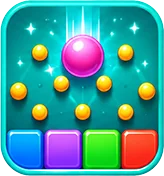
Answer a question correctly and a coin drops onto a Plinko-style board, landing in a bonus zone worth 1, 2, 3, or 5 extra coins. Your answer is what decides mastery — the board only decides the size of the bonus. Work through every question; there's no early loss.
How does Brain Feud work?↓
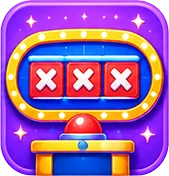
A prompt has several answers hidden on the board — type them in one at a time; shorter or longer versions still count, but misspellings don't. Every answer is a term from your guide, and the AI picks which terms fit each prompt, so report a board that looks wrong. Find every answer to clear the board and earn a 5-coin bonus; three misses ends that board and reveals what was left.
How does The Circuit work?↓
A board of categories, each needing a question answered to clear it. Correct answers move you through that category; a miss still moves the round forward, so you never get stuck. Complete every category across all 12 questions to finish — each one you clear adds a 4-coin bonus.
How does Concept Connect work?↓
Sixteen tiles hide four groups of four — tap the tiles you think share a hidden connection and submit the group. Every tile is a term from your guide, and the AI picks the four groups, so report a board that looks wrong. Solve all four to win; four mistakes ends the round. A group solved with no hint adds a 3-coin bonus.
How does Concept Ladder work?↓

Read the first clue and guess the concept it's pointing at — the earlier you get it, the more it's worth. A miss reveals a more specific clue on the next rung, so there's no early game-over, just less of a bonus. Guessing from an earlier clue adds up to 3 bonus coins; a later, more-revealing clue still counts, just as assisted mastery evidence.
How does The Crossword work?↓
A grid of interlocking terms from your guide, filled in from numbered clues. Check a word to see if it's right, or reveal it — revealed words skip the mastery credit. Each word banks 3 coins the first time you solve it, any day, any sitting; wrong letters never cost anything. Leave any time — your grid and coins are saved — then tap Finish for a completion bonus (plus a perfect bonus if you never revealed a word).
How does The Grid work?↓
A concept is hidden, and each guess narrows down what it could be. You get 3 guesses per concept, with a new clue unlocking after each one — solve it before you run out, then move on to the next concept. Solving from an earlier clue adds up to 3 bonus coins; using more clues still counts, just for reduced mastery credit.
How does Hot Streak work?↓
A 3×3 board of categories and point values — higher values ask harder questions. Pick a tile, answer it, and the correct answer is always shown either way. Answer all 9 tiles to finish; there's no early loss, just a higher board score for the tougher tiles you claimed. A clean 9-for-9 board adds a 5-coin bonus.
How does Label Lab work?↓
A labeled diagram from your own material — a cell, a map, a process — becomes a board of unlabeled pins. Tap a term from the word bank, then tap the pin you think it belongs on; tap a placed pin again to send its term back if you change your mind. Place every term, then check your answers all at once. Only guides with a genuinely multi-labeled diagram will have this game available.
How does Study League work?↓

A season-long format: win each matchup by scoring the points shown under To Win. Hard questions are worth 3 points and the rest 2, and more stars on an opponent means more points to win. Regular-season wins improve your playoff seed; a season has no time limit, so play matchups whenever you like. Reach the top four, then win the semifinal and championship for a 100-coin season prize on top of the usual per-answer rewards.
How does Tic-Tac-Know work?↓
A tic-tac-toe board where you claim a square by answering its question correctly — Ava claims any square you miss. Think ahead: you're both racing for three claimed squares in a row. Win the board for a 5-coin bonus; a draw or a loss earns the usual per-answer rewards without it.
How does Word Battle work?↓
Read the clue, then tap a term's scrambled letters in order to spell it out — tap a placed letter to send it back and try a different order. There's no early loss; spell every term at your own pace to finish the battle. Only guides with enough single-word vocabulary terms will have this game available.
Coins & Rewards
 Coins & Rewards
What are coins and how do I earn them?↓
Coins are earned by playing games, hitting milestones, unlocking badges, and climbing the Season Path. Spend them on background colors, hats, glasses, and frames for your Study Buddy in the Pet Closet, or on Magical Packs!
If a teacher assigns a guide with a due date, they can also turn on a bonus for finishing on time — you'll get a note from the class with the coins to accept.
Per game


Getting Set Up and Challenges (one-time each)





Badge bonuses (one-time each)



Do coins affect learning or are they cosmetic only?↓
Coins are purely cosmetic — they're used to buy pet backgrounds, hats, glasses, frames, new animals, and Magical Packs. They have no effect on your scores, question difficulty, or what content you can study.
There's no pay-to-win and nothing academically useful is locked behind coins. Coins can't be bought with real money, and a Magical Pack's odds are shown before you open it. Parents can feel confident that spending (or not spending) coins doesn't change how well the app teaches.
Is there a daily coin limit?↓
Yes — you can earn up to 300 coins per day, and it resets every day. Only coins you actually earn count toward it, so replaying a game you have already played today does not use any of your limit — practice runs earn no coins. Season Path tier rewards and duplicate-pet refunds from Magical Packs don't count toward it.
What do I spend coins on?↓
Visit the My Study Buddy page (tap the paw icon) to customize your buddy and unlock new animals.
- ✦Background colors — 15 to choose from. Three are free plus the plain option; the rest unlock for 100–1,000 coins. Shown everywhere your buddy appears.
- ✦Hats, glasses & frames (Pet Closet) — range from free to 250 coins. Bought items are yours forever.
- ✦New animals — rarer animals cost more and may require earning specific badges first.
- ✦Magical Packs — 1,000 coins each. Every pack reveals a collectible pet you don't own yet, chosen at random with the odds shown before you open it.
What are badges and how do I earn them?↓
There are 21 badges to collect. Tap the badge icon in the header to see which ones you've earned. Many badges award a one-time coin bonus when first earned.
Perfect Score
Got 100% on any game
3-Day Streak
Played 3 days in a row
Week Warrior
Played 7 days in a row
Speed Demon
Aced a Speed Tap with a perfect score
Collector
Created 5 study guides
Daily Warrior
Completed 7 daily quizzes
Game Explorer
Played Quiz, Matching, Study Tower, Study Blocks, Boss Battle, Chat Quest, Swipe, Speed Tap, Fill in the Blank and Pet Professor
Advanced Explorer
Played 10 different Advanced Games
Completionist
Played 20 of the 23 games, Advanced Games included
Boss Slayer
Defeated the Boss 5 times

Perfect Streak
Got 5 perfect scores

Legend
Reached a 30-day streak
Scholar
Got 500 correct answers total
Daily Champion
Played Quiz, Matching, Study Tower, Study Blocks, Boss Battle, Chat Quest, Swipe, Speed Tap and Fill in the Blank on one study guide in a single day
Test Ace
Scored 85%+ on a Practice Test

Concept Master
Mastered 25 concepts

The Fixer
Finished 10 practice sessions
Live Champ
Finished 1st in a live game
Connector
5 people joined your study guides
Study League Champion
Won a Study League championship

Magical Kingdom
Reached Tier 29 of Season 1
Season Path & Magical Packs
What is the Season Path?↓

The Season Path is a 30-tier reward track. Studying earns Season Stars, and every tier you reach unlocks a reward: coins, Pet Bond boosts, enchanted accessories, a badge, and nine Magical Packs. Reach Tier 30 to awaken the Royal Griffin, an exclusive pet.
Season 1, the Magical Kingdom, runs through Nov. 30. Season Path rewards never cost real money. If you would rather not see the Season card on Home, tap its × (or turn it off in Settings); the Kingdom is always in the gear menu.
How do I earn Season Stars?↓
- ✦2 stars for each correct answer
- ✦10 stars for finishing a game, plus 10 more for a perfect run
- ✦30 stars for the Daily Quiz, plus 10 more if it is perfect
You can earn up to 100 Season Stars per day, and a replay doesn't earn any. Each tier needs 50 more stars than the last, so a little studying every day is the way to climb.
What is a Magical Pack, and what are the odds?↓
A Magical Pack reveals one collectible pet, chosen at random from a set of nine. Until you own all nine, every pack gives you a pet you don't have yet.
Starting odds
As your collection grows, the odds among the pets you don't have yet keep their relative proportions, and the app shows them before you open a pack. Once you own all nine, a pack pays coins instead: 20 for a common, 35 for a rare, 60 for an epic, 100 for a legendary, 175 for a mythic, and 300 for a godly.
How do I get Magical Packs? Can I buy them?↓
Nine Magical Packs are rewards on the Season Path. You can also buy one for 1,000 coins. Buying a pack turns your last unreached pack tier into a coin reward, so a season never hands out more than nine.
Packs are paid for only with coins you earned by studying. There is no way to buy coins or packs with real money.
What happens when Season 1 ends?↓
Season 1 runs through Nov. 30. After that, Season Stars stop counting toward the Season Path, but everything you earned during the season — pets, accessories, coins, and badges — stays in your collection.
Daily Progress & Streaks
Do I lose my streak if I miss a day?↓
Not necessarily — if you have Streak Freezes, you're covered. If you miss a day, a freeze is used automatically the next morning, so your streak is already safe when you come back — no action needed. 1 freeze covers 1 missed day, 2 freezes cover 2 consecutive missed days.
Without freezes, yes — missing a day resets your streak to zero. Everyone earns one free Streak Freeze on reaching a 3-day streak. Subscribers keep earning another at every 7-day milestone, up to 3 at a time.
What are streaks?↓
Missing a day resets your streak — unless you have a Streak Freeze. Everyone earns one free freeze at a 3-day streak; subscribers keep earning another at every 7-day milestone (up to 3 at a time). If you miss a day, a freeze is used automatically the next morning — no action needed. 1 freeze covers 1 missed day, 2 freezes cover 2 consecutive missed days.
What is the Daily Quiz?↓
A short 3-question quiz that refreshes every day. Questions come from your most recent study set and from general knowledge topics. Finishing it is worth 20 coins, plus 3 for each question you get right, plus 10 more if you get all three — 39 coins for a perfect round. It also counts toward your Daily Quiz Streak, and you can only do it once per day.
Smart review: If you have tricky items in your study guide, AvaStudy will include one of them in your daily quiz automatically — so your weakest spots get extra practice even when you're not in a full game session.
How do daily missions work?↓
Three missions refresh every day — one Easy, one Medium, one Hard. Each has a coin reward. Complete them for bonus coins on top of what you earn from playing.
Missions include things like: play a specific game type, score above a threshold, get a set number of correct answers, or replay a game. Each mission links directly to the relevant game — just tap it to jump straight in. Missions are only for things you can do again every day. One-time goals live in Challenges instead (see below).
Missions reset every night at 3 a.m. Eastern (2 a.m. in winter), the same time as the daily coin and XP limits. Partially completed missions don't carry over — each day starts fresh.
What are Getting Set Up and Challenges?↓
Getting Set Up is a short list of first-time steps that make AvaStudy work for you. A student tries the demo, makes a first study guide and plays a first game; a teacher sets up a class, assigns a guide, invites students, runs a live game and checks the gradebook; a parent records a test grade, sets a test date and checks class updates. Each step earns a small welcome bonus, and the list goes away when you finish it. A parent can also hide the card on Home (or in Settings under Getting Set Up) at any time.
Challenges are optional, one-time goals, like trying a theme, installing the app or mastering your first concept. They pay more than the setup steps, show a few at a time, and you can hide the card on Home (or in Settings under Challenges) whenever you like. Each one earns coins once.
Daily missions are separate: they only cover things you can do again every day.
Study Buddy & Progression
 Study Buddy & Progression
How do I level up my Study Buddy faster?↓
Your Study Buddy earns XP every time you play. Here's what each action gives:
Practice sessions count too, at a quarter of the usual amount, so replaying games still earns a little XP even after coins stop (practice doesn't earn Season Stars, though). There is a daily limit of 600 XP, which resets at 3 a.m. Eastern; once you reach it your games, coins and streak carry on as normal, and more XP comes back tomorrow. Going for perfect scores and completing the Daily Quiz every day is the fastest path.
Do different pets have different abilities?↓
All pets play the same games and earn XP at the same rate — there are no stat differences or gameplay advantages between animals.
Where they differ: personality. Each pet has its own set of speech bubble messages, reactions, and idle lines that reflect its character. A dragon talks differently than a bunny.
Cosmetic and personality differences only — no pay-to-win, no ability gates. Rarer pets cost more coins (or come from Magical Packs) but don't give you any learning edge.
What are the different animal rarities?↓
Every animal on the My Study Buddy screen has a rarity tier. Rarer animals cost more coins and may require earning a special achievement to unlock. The nine pack pets can't be bought directly — they come only from Magical Packs.
Rarity Tiers
Animals are sorted on the screen as a progression ladder — your active buddy appears first, then other unlocked animals, then locked ones ordered by rarity and cost.
What is my Study Buddy and what do Levels mean?↓
Your Study Buddy represents your learning friendship — it grows every time you study together. Playing games earns XP, which raises your Level. There's no cap — your bond keeps growing as long as you keep learning.
Friendship Milestones
XP comes from correct answers (5 XP each), completing a game (+20 XP), perfect scores (+30 XP bonus), daily quizzes (+25 XP), and streak milestones (+15 XP). Early levels take 2–3 games; later levels gradually require more. Pet XP has a daily limit of 600 (Season Path bond boosts don't count toward it).
What are "Tricky Items to Review"?↓
AvaStudy tracks the items you get wrong most often and marks them as tricky. When you have tricky items, an orange banner appears on your study set page so you can jump straight into a focused practice session. As you get them right more consistently, they move to improving and eventually clear completely. It's like built-in reinforcement — the app keeps nudging you on the hard stuff until it sticks.
What is "Practice What You Missed"?↓
After finishing a game where you got some questions wrong, a button appears on the results screen: Practice What You Missed. Tap it to go back over the hard stuff. Right after a game you get the same questions again, so you can fix them while they're fresh. Come back a day or more later and the app asks about the same idea in a different way, so you're showing you know it, not just that you remember one question. Concepts you already learned also come back when it's time for a refresher.
Sharing
Can a parent add a study guide to their child’s account?↓
Yes. After you make a study guide (from a photo, a PDF, pasted notes or a topic), choose Add to your child and it goes straight into a linked child's guides, with a note in the app letting them know. You still own the guide and can see how they do on it.
Prefer a code? Get a Share Code works too, with or without a linked child.
What are shared study guides and leaderboards?↓
You can share any study set with classmates using a short share code. Anyone who joins with the code can play all the same games on that material.
Shared sets have a 30-day leaderboard showing everyone's recent best scores per game type, plus when each person was last active. Older scores roll off so an active study group stays competitive. AvaStudy also shows Challenge nudges on your home screen when a classmate has recently passed you, you're within striking distance of them, or you're ahead and should keep your lead. Tap the nudge to jump straight into the relevant game.
Joining a shared set is always free — no subscription required. It doesn't count toward your free-guide limit either.
The moment someone joins a set you shared, your Classroom page (for teacher accounts) or your Stats page shows how the group is doing — who has joined, who hasn't started, and which concepts the most members still find hard. Those concept figures are group totals: whoever shared the set never sees which individual person missed which question, or anyone else's personal practice history.
Challenge nudges can be dismissed and won't reappear for 24 hours.
If the owner archives a shared guide, everyone keeps it and can still play it, but the unit is treated as done: the leaderboard freezes and it leaves the Daily Quiz rotation. Stopping sharing closes the code and removes the guide from members' libraries — but their coins, XP and history stay.
What are live games and class tests?↓
A live game is a teacher putting a guide on the board as a quiz. You join on your own device with a code or QR code, answer along with the class, and a scoreboard shows between questions. A class test is one fixed test your teacher gives the whole class from a guide: it's one pass with no hints, it's scored on our servers, and your teacher sees the results by question and by concept.
Both count as study: the time counts toward your study time and your active days.
Can I track my test grades?↓
Yes. On any study guide you can log the grade you actually got on the test — a card on the guide page. It then shows your score next to how many games you practiced first.
It is private from other students. A linked parent, and the teacher of a class the guide is assigned to, can see it labeled as self-reported; a linked parent also sees your most recent one on their dashboard and in the weekly parent email. If your teacher records, or confirms, the grade you got on a real test for a guide assigned to your class, you and a linked parent see it labeled as entered by your teacher, and you cannot change it. A linked parent can also record a grade for you (mostly for a younger child): you and the teacher see it labeled as entered by your parent, and you cannot change it. Each guide has one grade, and whoever entered it is the one who changes it; a teacher's entry replaces any other. The grade you log is otherwise only used to show you the practice-to-result picture.
What happens to my progress if I leave a class?↓
It is saved to a private archive that only you and a linked parent can see, and it comes back automatically if you rejoin the class or the guide is shared with you again. Your teacher no longer sees your progress after you leave. If you would rather not keep it, choose Delete Saved Progress Too when you remove the closed guide from your list after leaving a class, or when you leave a shared guide.
If you also hold the guide's own share code, leaving the class does not remove your access or your progress. Removing the guide from your list is a separate choice.
What does my teacher keep after I leave?↓
A short record that you were in the class: your name, when you left, your attendance, and which assignments you finished, when, and your score at that time. They do not keep your concept progress, best scores, test results or tutor chats.
The record stays while the class exists and is deleted with it. If you delete your account, your name is removed from it.
Can a parent still see my progress on a class guide after I leave?↓
Yes, if a parent or guardian is linked to your account. Their report keeps showing your progress on that guide, marked as a guide you left, with no teacher content and no tutor chat. It does not count toward your active guides. If you chose Delete Saved Progress Too, there is nothing for them to see.
Account & Subscription
 Account & Subscription
Can teachers or parents use AvaStudy?↓
Absolutely. When you sign up you pick an account type — student, parent, or teacher. Teachers get a Classroom: set up a class with a join code, add students, and assign guides with due dates. When you assign one you pick how hard the turn-in bar is — Easy (play a game), Medium (also reach a score), or Hard (also prove every topic in graded games and quizzes) — and the student is alerted right away, then sees an in-app homework banner that tracks their progress toward the bar and marks it “Turned in” once met. A missed deadline does not lock the assignment — it is review practice, so a student can still finish it and it still counts, just flagged “late” in the grid and the parent digest. Each assignment has a completion grid (who is done, games played, best score, time-on-task) you can nudge, export to CSV, or print, plus a per-student progress report — with a “concepts mastered” figure over the whole guide — for conferences. You can also tap a quick emoji reaction (👍 🎉 💪 🤔 ⭐) next to a student's row — no note to type, it just shows up on their dashboard right away as a nod from you.
You can also run a live game — put any guide on the projector as a real-time quiz, students join on their own devices, scoring is Kahoot-style with a scoreboard and podium (or accuracy-only if you prefer). Teaching several sections? Assign the same guide to each class; every one is tracked separately.
Privacy boundary: in a class a teacher sees a student's name, assignment completion, and scores on assigned work — never their pet, coins, streak, other guides, or personal practice history. Prefer no roster? You can still share a single guide with a code and students jump straight to practice.
Parents can run their child's account or keep their own for family learning, and adult and college learners are covered too — the grade picker goes from kindergarten through College. You can change your account type later in Settings.
Joining a shared set is always free and never counts toward your free-guide limit.
If your school shared an AvaStudy link with a code in it (like avastudy.com/s/YOURSCHOOL), signing up through it tags your account with that code so we can see, in aggregate, whether the outreach is working. It changes nothing about how the app works, and you can view or clear it in Settings.
Does AvaStudy save my study guides?↓
Yes — all your study guides are saved to your account automatically and accessible from any device you sign into. They stay there indefinitely unless you archive or delete them yourself.
Archived guides are removed from your active list but not permanently deleted. Deleted guides are gone permanently. Your coins, XP, streaks, and pet data are also saved to your account and sync across devices.
What happens if my payment fails?↓
Unlimited pauses until the payment is fixed, and you can't add new study guides while it is. Your existing study guides, coins, and progress all stay saved and playable, and everything turns back on as soon as the payment goes through.
Open Settings and tap Fix Payment to update your card. Some banks, especially on prepaid and some debit cards, decline subscription charges — if that happens, trying a different card usually works.
Can I use AvaStudy on multiple devices?↓
Yes — sign into the same account on any device and everything syncs automatically: study guides, coins, pets, XP, streaks, and badges. Works on iPhone, Android, iPad, and any modern desktop browser.
Is AvaStudy free? What does the subscription include?↓
AvaStudy is free to use — on the Free plan you can build 3 study guides and play every game (20+ games, all free), plus pets, coins, streaks, mastery tracking, a readiness score on every guide, a short Mini Practice Quiz, and 5 Study Tutor messages a day with the Study Tutor. The 3 guides are a total for your account, not a monthly allowance. A guide counts against them even if you delete it, and a guide that fails to extract is never counted.
On a free account, a small badge under the AvaStudy name shows how many free guides you have left. When none are left it says Upgrade, and tapping it opens the plans.
AvaStudy Unlimited ($6.99/month or $59.99/year) adds unlimited uploads, full Practice Tests, the full readiness breakdown, a personalized study plan, unlimited Study Tutor messages (Free includes the Study Tutor at a lower daily limit), and themes.
Every game — core and Advanced — is free to play, for everyone. Unlimited is about the deeper test-prep tools and how many guides you can build, not which games you can play; joining and playing a shared guide never uses a student's upload allowance.
This is beta pricing: the rate goes up as Practice Tests, the study plan and the Study Tutor get more capable. Subscribe now and you keep this price for as long as your subscription stays active.
Unlimited Plan — $6.99/month or $59.99/year
Yearly works out to $5.00/month — $23.89 less per year than paying monthly.
Joining a shared study set from a classmate or teacher is always free — it never counts toward your free-guide limit. The limit only applies to guides you create yourself.
You can manage or cancel your subscription at any time from Settings → Subscription. Billing is handled securely by Stripe — we never store your payment information.
What is AvaStudy Family? How does it work with multiple kids?↓
AvaStudy Family ($13.99/month or $119.99/year — works out to $10.00/month, 29% less than paying monthly) gives everything Unlimited includes to up to 4 kids under one subscription, instead of paying for Unlimited separately for each child.
Each kid keeps their own account — their own study guides, progress, coins, and pet stay private and separate. Family only shares the bill.
Family also lets a second parent or guardian link to the same child, each following progress from their own account. The parent who pays can send them an invite code from Home (it goes in the same code box as a child's code), and the child is told when anyone is added. A second parent doesn't need a plan of their own, since Family covers the kids, and the parent who invited them can remove them from the family card on Home. One parent account can follow up to 4 kids, and a child can have up to 4 linked parents. Linking a child's first parent is free; adding a second parent is part of Family, and the child stays covered as long as either parent is on the plan. If neither parent is on Family, the later parent's view is paused (nothing is deleted) and returns when one is.
To set it up: a parent creates their own AvaStudy account, then either creates an account for the child (Add Your Child on Home, the way for a child 12 or under) or links to a child who already has one: the child shares a linking code from their Settings → Family screen, and the parent redeems it from their own Settings → Family. Once linked, that child's account is covered. A parent can subscribe to Family before or after linking any kids.
You can manage or cancel Family at any time from Settings → Subscription. Billing is handled securely by Stripe.
Can I change how AvaStudy looks?↓
By default AvaStudy looks the same for everyone — the Ava theme. AvaStudy Unlimited adds a small set of alternate themes — Focus (a calm navy/slate look), Ocean, and Forest — that you can switch between in Settings → Experience.
Themes only change colors, gradients and backgrounds. They don't change how anything works, what games you can play, or any of your progress. It's a separate setting from the Playful home screen — you can mix and match.
How do I cancel my subscription?↓
You can cancel at any time from within the app — no need to contact anyone.
- 1.Tap the gear icon (⚙) to open Settings
- 2.Tap "Subscription"
- 3.Tap "Manage Subscription" to open the billing portal
- 4.Select "Cancel plan" and confirm
After canceling, you keep unlimited access through the end of your current billing period. After that, your account reverts to the free plan. Every study guide you already made stays — along with all your progress, coins, and pets. You can still build new guides up to your free allowance of 3 — and guides you made while subscribed don't count against it.
We don't offer partial refunds for unused time within a billing period, except where required by applicable law.
Can I install AvaStudy on my phone or computer?↓
Yes! Adding AvaStudy to your home screen makes it load instantly, hides the browser address bar, and makes it feel like a real app. You'll earn +20 coins the first time you open it from your home screen — look for the coin reward popup when it launches!
iPhone / iPad (Safari)
- 1.Open AvaStudy in Safari (not Chrome)
- 2.Tap the Share button at the bottom of the screen
- 3.Scroll down and tap "Add to Home Screen"
- 4.Tap "Add" in the top-right corner
- 5.Open the app from your home screen to claim your coins!
Android (Chrome)
- 1.Open AvaStudy in Chrome
- 2.Tap the three-dot menu (⋮) in the top-right
- 3.Tap "Add to Home screen" or "Install app"
- 4.Tap "Add" to confirm
- 5.Open the app from your home screen to claim your coins!
Computer (Chrome or Edge)
- 1.Open AvaStudy in Chrome or Edge
- 2.Look for the install icon at the right of the address bar — a small screen with a downward arrow
- 3.No icon? Open the ⋮ menu and choose "Cast, save and share" → "Install page as app"
- 4.Click Install — AvaStudy opens in its own window and lands in your apps
Mac (Safari)
- 1.Open AvaStudy in Safari
- 2.Choose File → Add to Dock from the menu bar
- 3.Click Add — AvaStudy appears in your Dock and Launchpad
The coin reward fires automatically the first time AvaStudy opens in its own window, on a phone or a computer.
Can I have more than one account?↓
Each person should have one account, so their progress, streak and free guides stay in one place. If you ever signed up twice by mistake, your guides and progress stay with the account they were made in.
To notice people who sign up more than once, we compare a one-way fingerprint of the email address. Gmail treats dots, a +tag and googlemail.com as the same inbox, so we do too. A match only puts the accounts on a private list for our team to look at: nothing is blocked or taken away automatically. We do not use your IP address or your device to link accounts. See the Privacy Policy for the details.
How do I delete my account?↓
You can permanently delete your account and your personal data at any time directly from the app — no need to contact anyone. Study guides, game history, progress, and (for teachers) the classes you own are erased; the only things that stay are an anonymous “Former Player” score on leaderboards of guides you joined and payment records required for accounting.
- 1.Tap the gear icon (⚙) in the top-right corner to open Settings
- 2.Tap "Reset progress or delete account" to go to Parents & Safety
- 3.Tap "Delete My Account" and confirm with "Yes, Delete Everything"
Deletion is immediate and permanent. Everything is erased — your profile, coins, XP, streaks, badges, pet, and all study sets you created. Your score on a shared guide's leaderboard stays as an anonymous “Former Player” (your name and pet are removed). You will be signed out automatically. This cannot be undone.

Still have questions?